
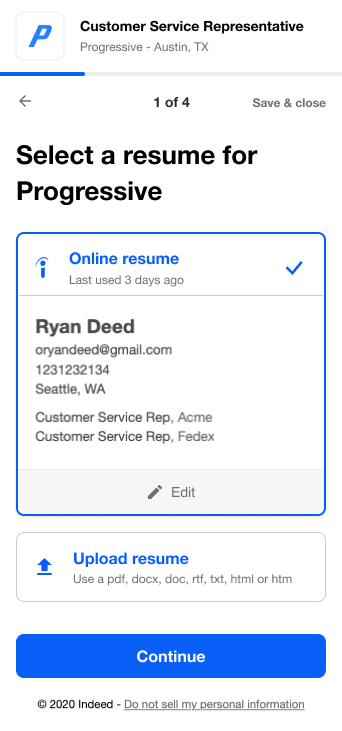
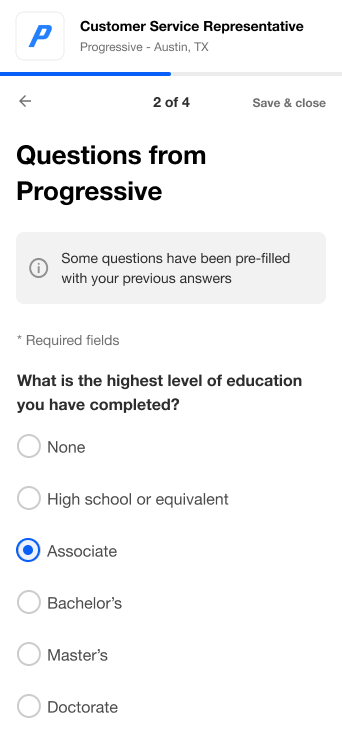
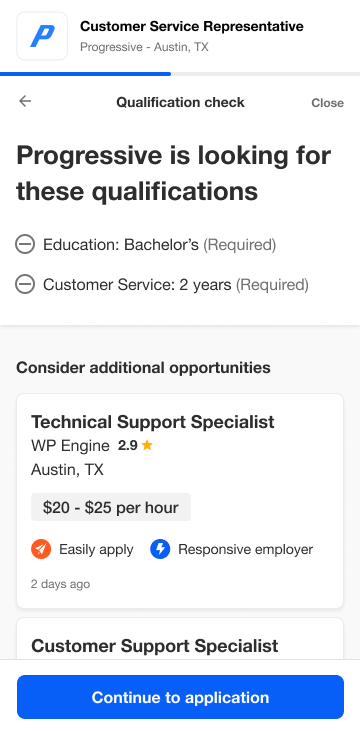
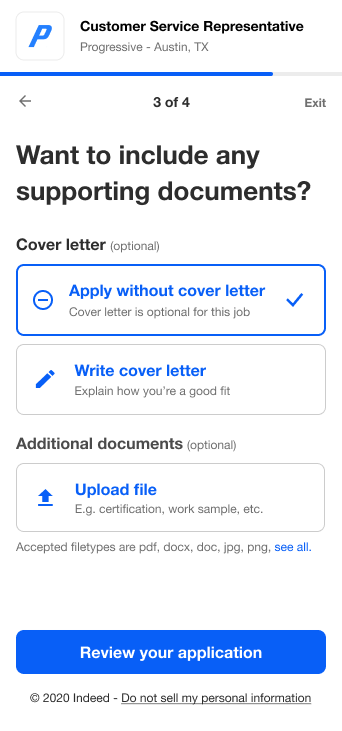
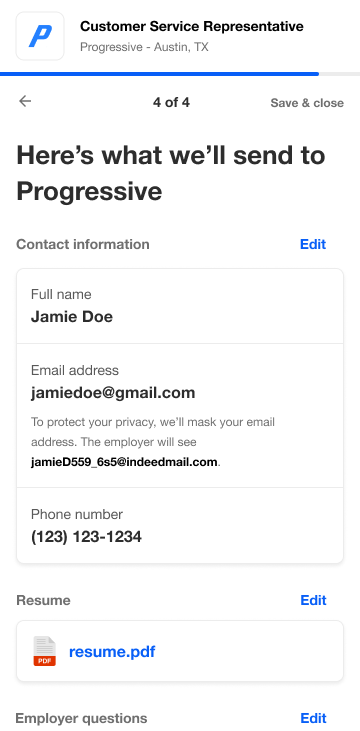
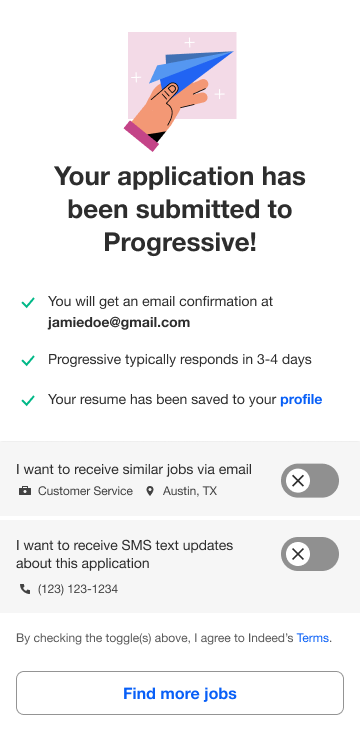
I redesigned Indeed’s job application product to scale for a global user-base — transforming it from an ever-growing, single-page form to a modular, customizable step-by-step flow that enabled easier A/B testing. As part of the redesign I balanced the needs of both job seekers and employers by introducing a new qualification check feature. Based on the user’s resume or how they answered screener questions, we redirected unqualified job seekers to more relevant roles to improve application quality. The new design significantly increased account creations and confirmed hires, and was rolled out world-wide - helping millions of job seekers apply to jobs more easily every day.

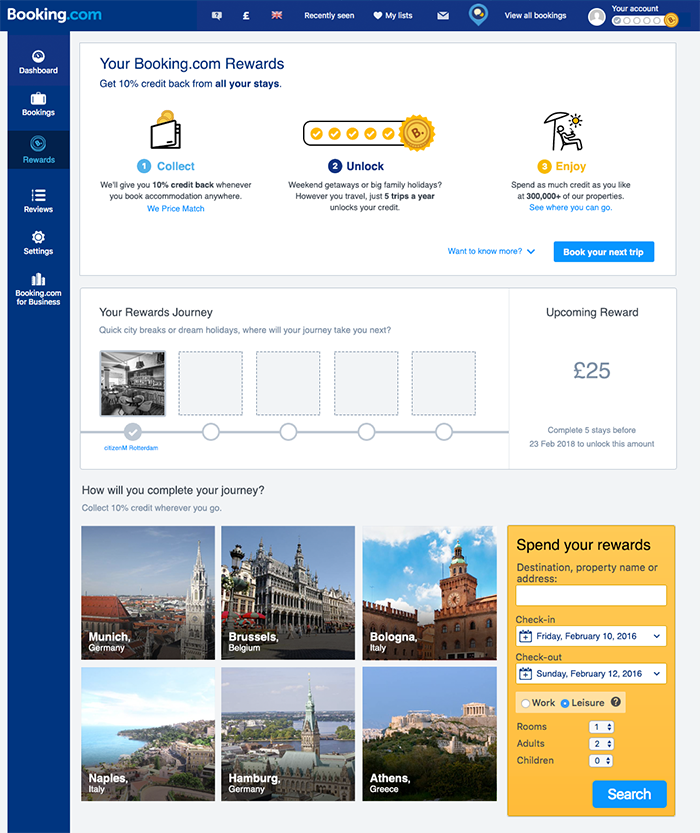
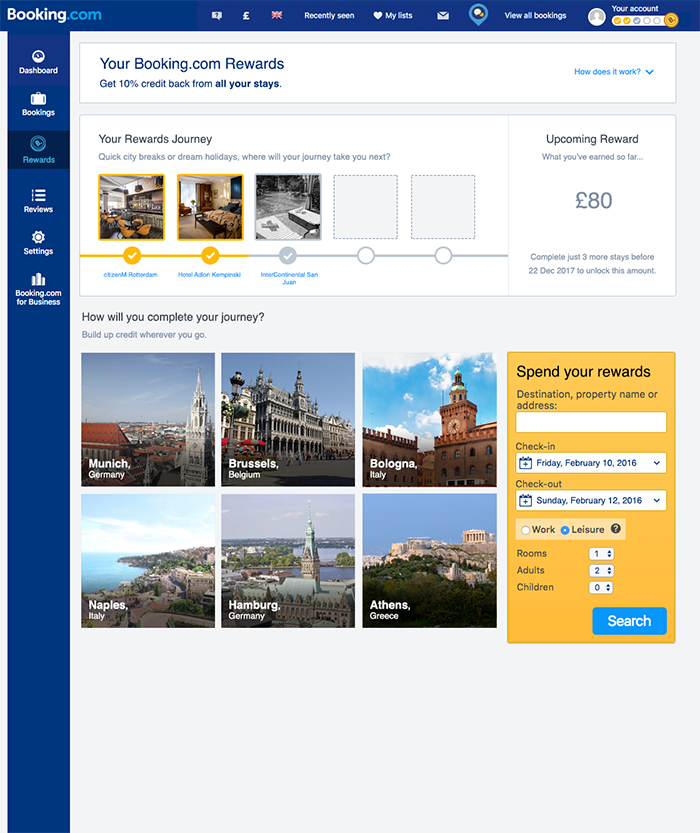
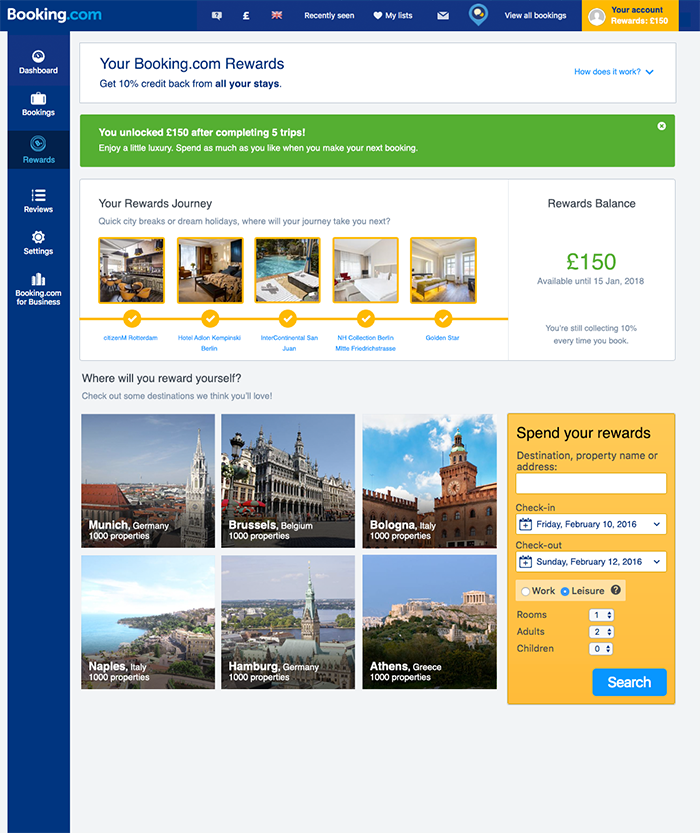
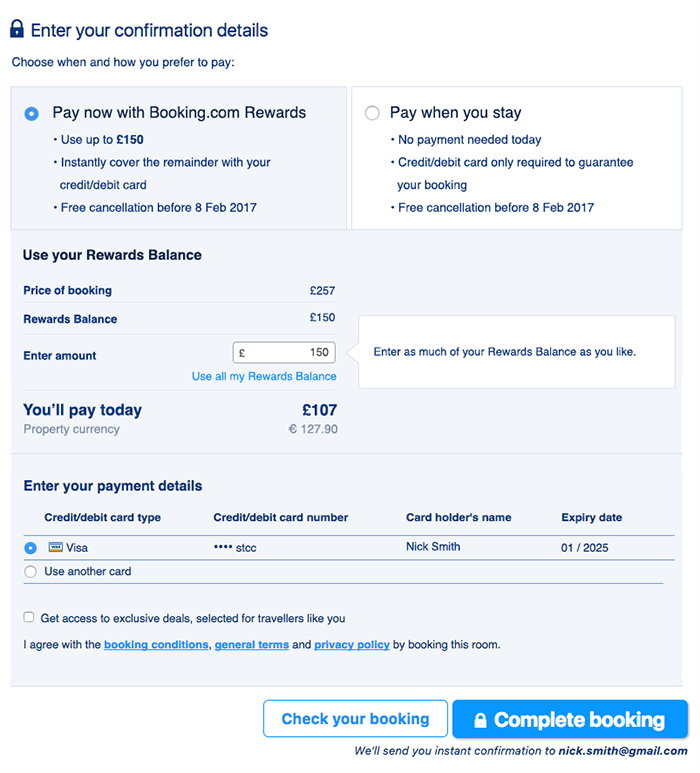
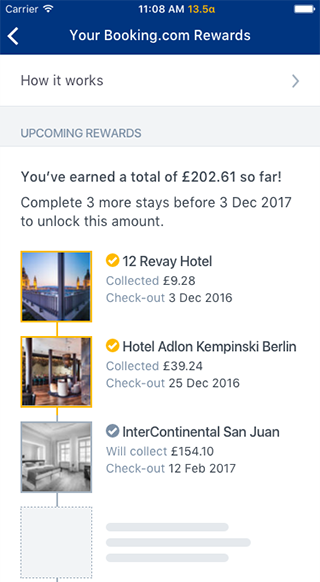
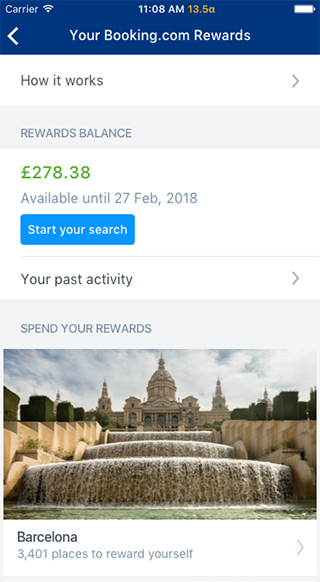
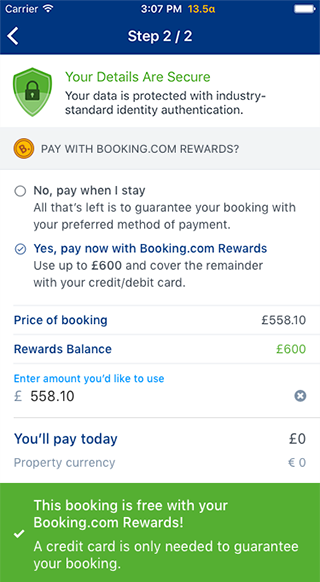
I designed and tested Booking.com Rewards, a new credit-based loyalty program for the world's largest accommodations website. After attending focus groups in the US, I worked closely with a product manager to user test and refine our concept before launching a beta test in the UK market. In the program, users can unlock credit after booking 5 trips which they can then spend on a subsequent trip.
In addition to the loyalty program, I worked on a product for corporate travel managers where I designed and implemented A/B tests for new features and improvements. All UX designers push front-end code to production at Booking.com, so I was able to improve my technical and analytical skills there.

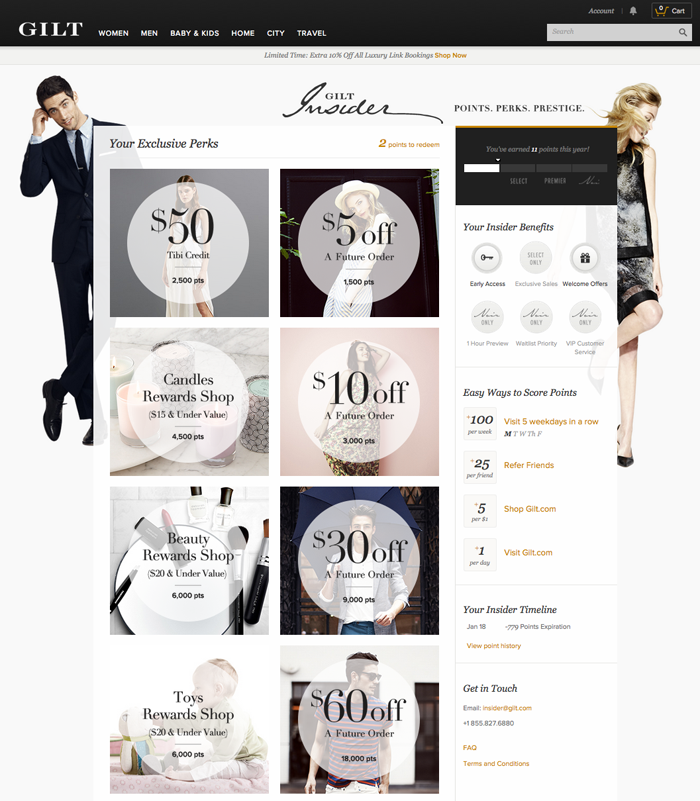
Gilt Insider was a new loyalty program I designed to increase revenue and retention. Customers earned points by shopping, which they spent on benefits such as early access to sales and discounts. I worked with product managers to define the program rules, and how it worked throughout the funnel on both desktop and mobile. I also collaborated with visual designers to create a beautiful dashboard page where shoppers could track their points and browse benefits. BigDoor.com ranked Gilt Insider 5th in it's Top 10 Loyalty Programs of 2013, and we were the only online retailer on the list.
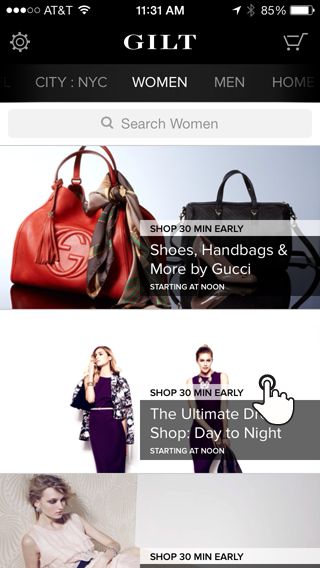
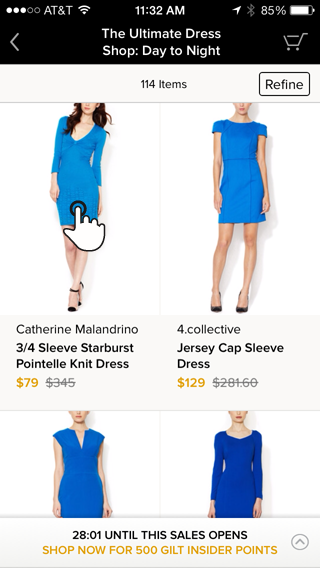
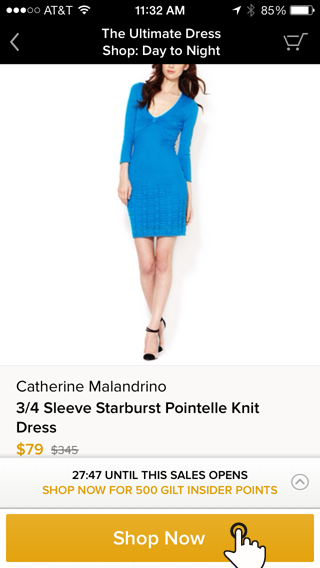
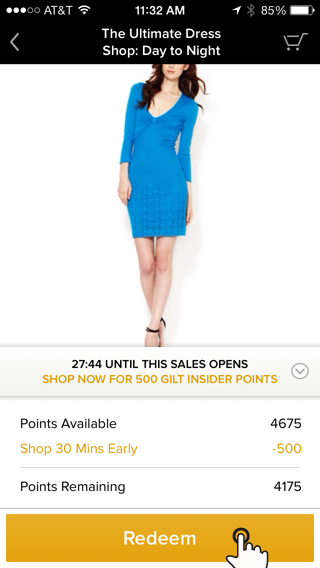
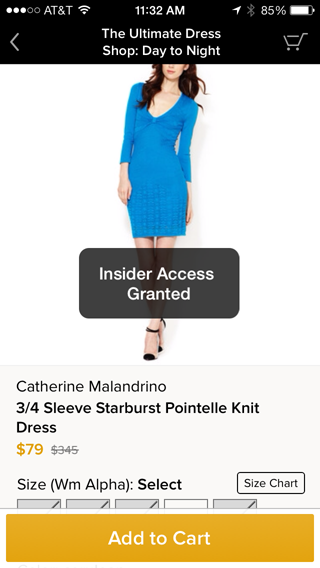
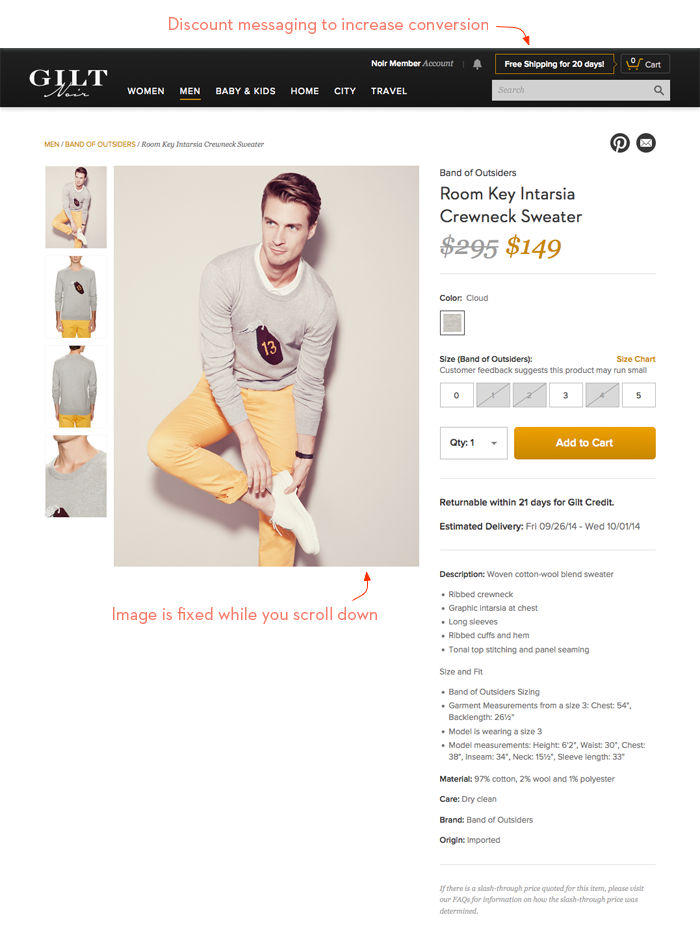
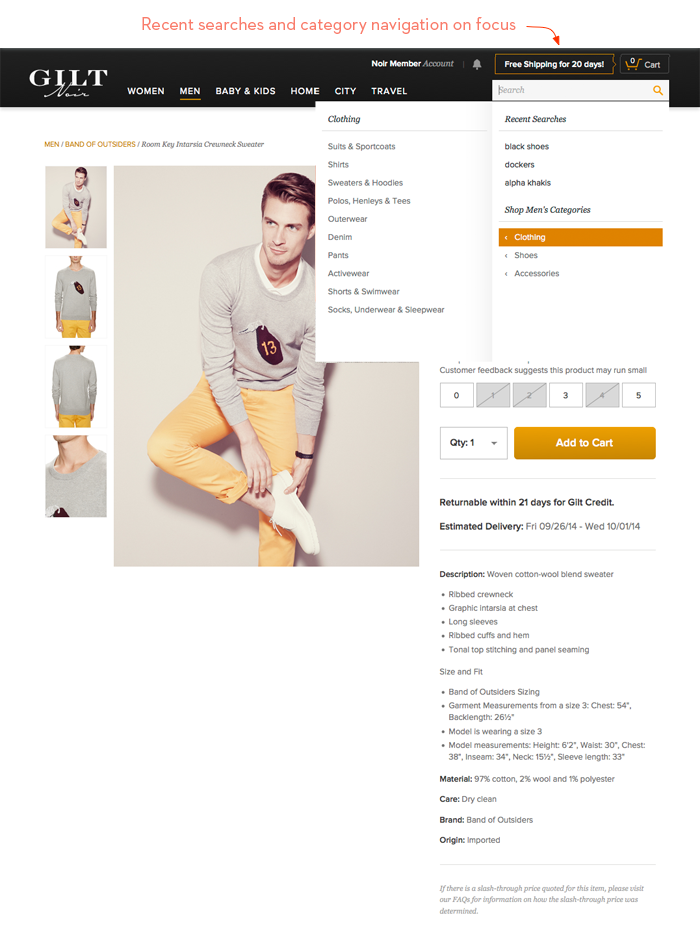
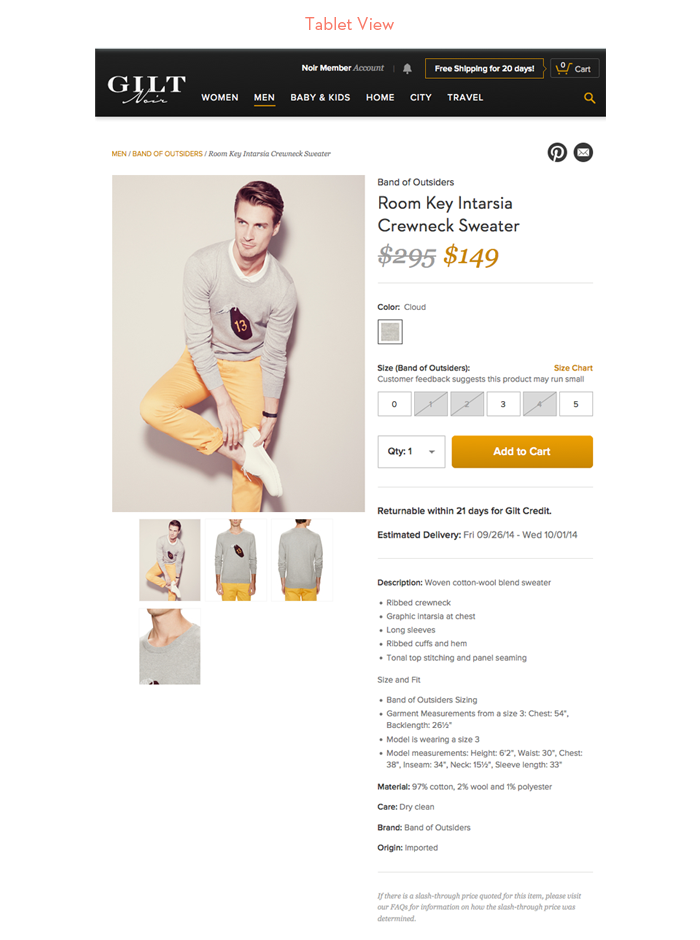
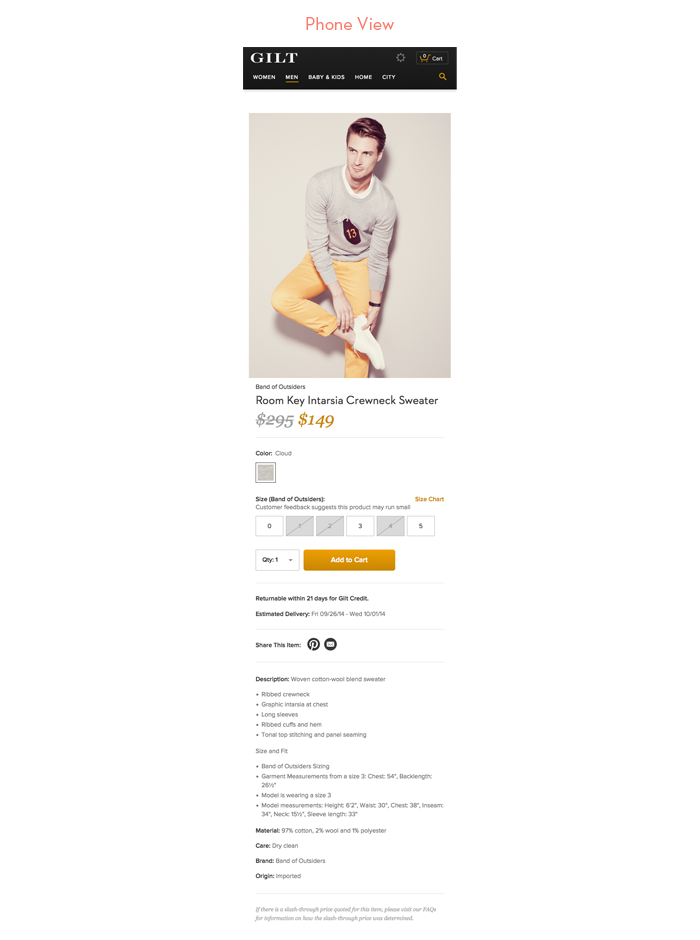
I also redesigned the site's navigation and product pages to be responsive; the first major step towards optimizing for tablet and mobile. In order to increase conversion I designed a discount messaging space in the navigation, a guided category search experience, and larger imagery on the detail page.
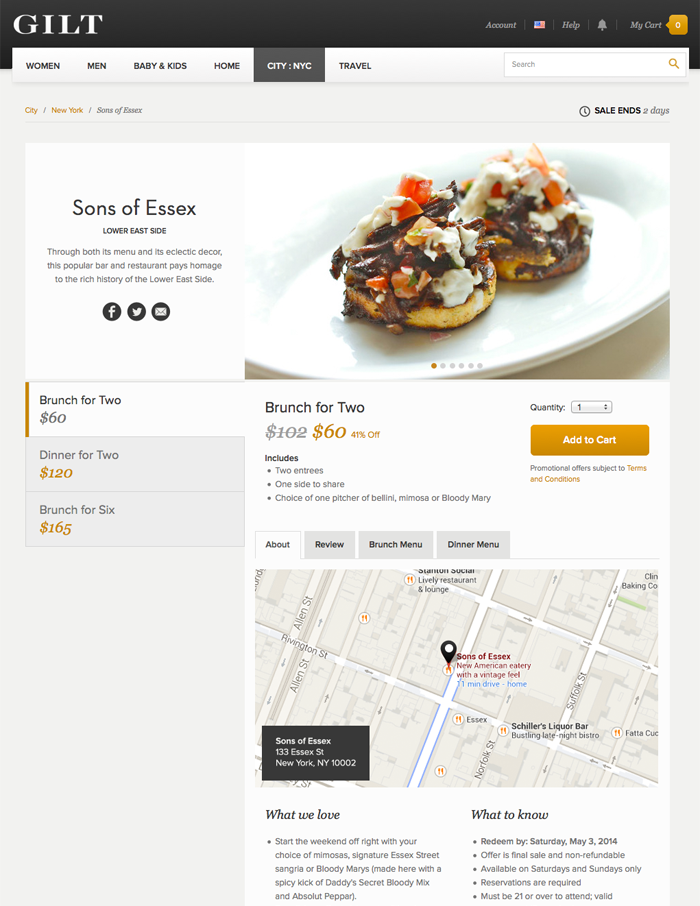
Lastly, I redesigned the Gilt City offer page with a cleaner layout and information hierarchy.

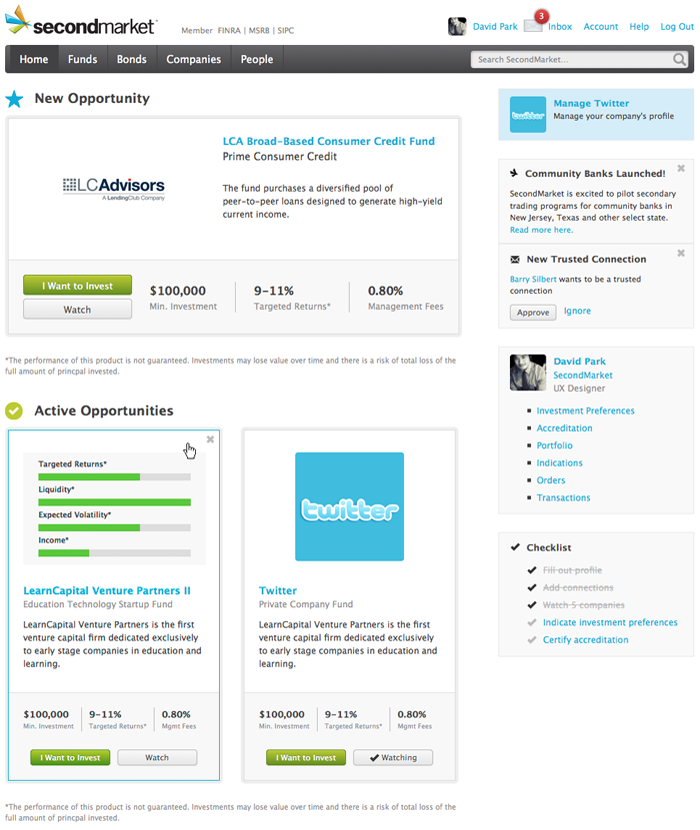
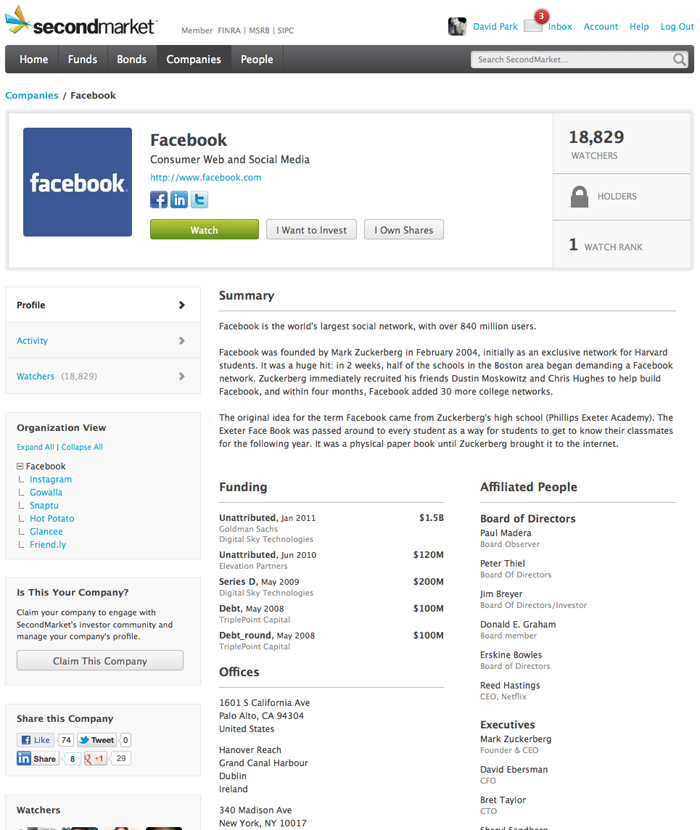
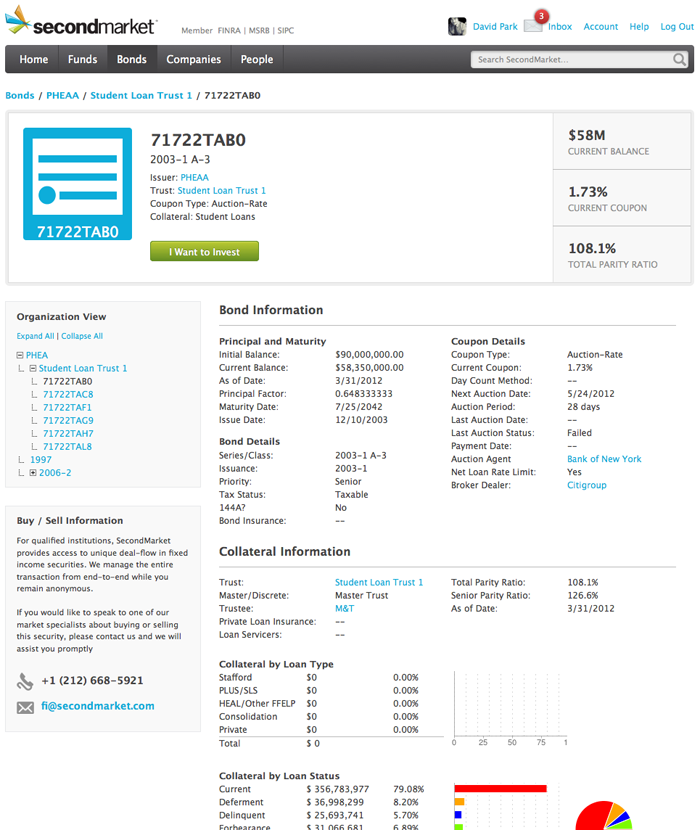
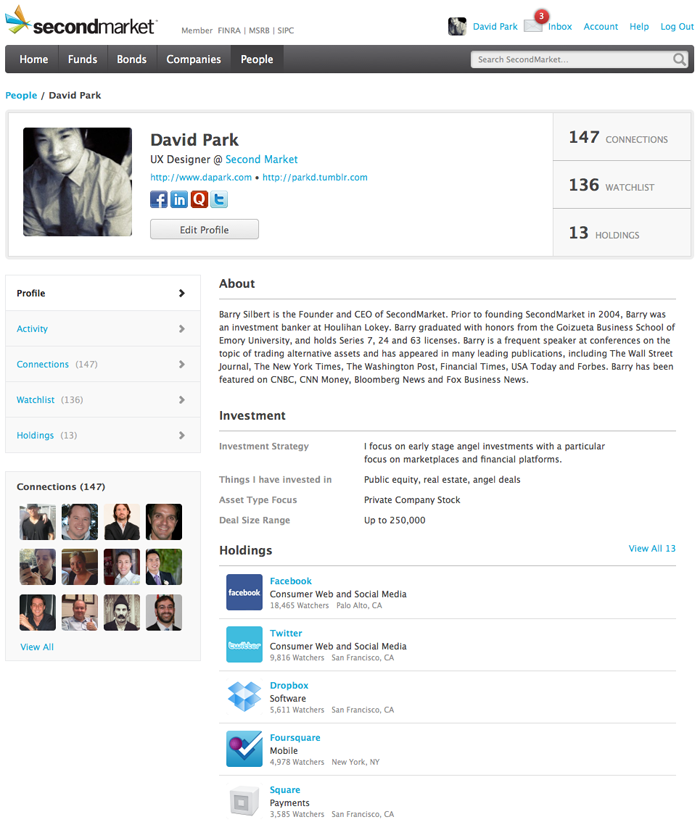
At secondmarket I redesigned the signed-in experience to make it easier to find and understand investment opportunities. As part of this process I reorganized navigation, came up with a reduced set of patterns and layouts to improve consistency, and established a modern visual design.

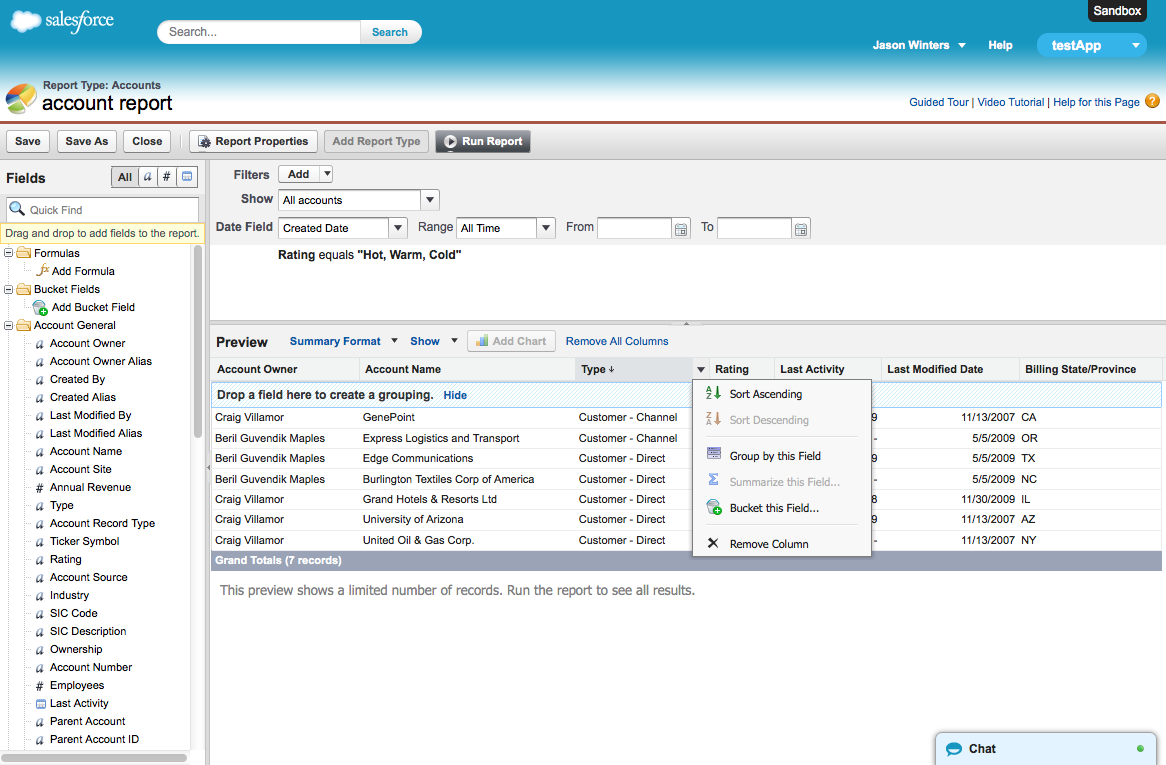
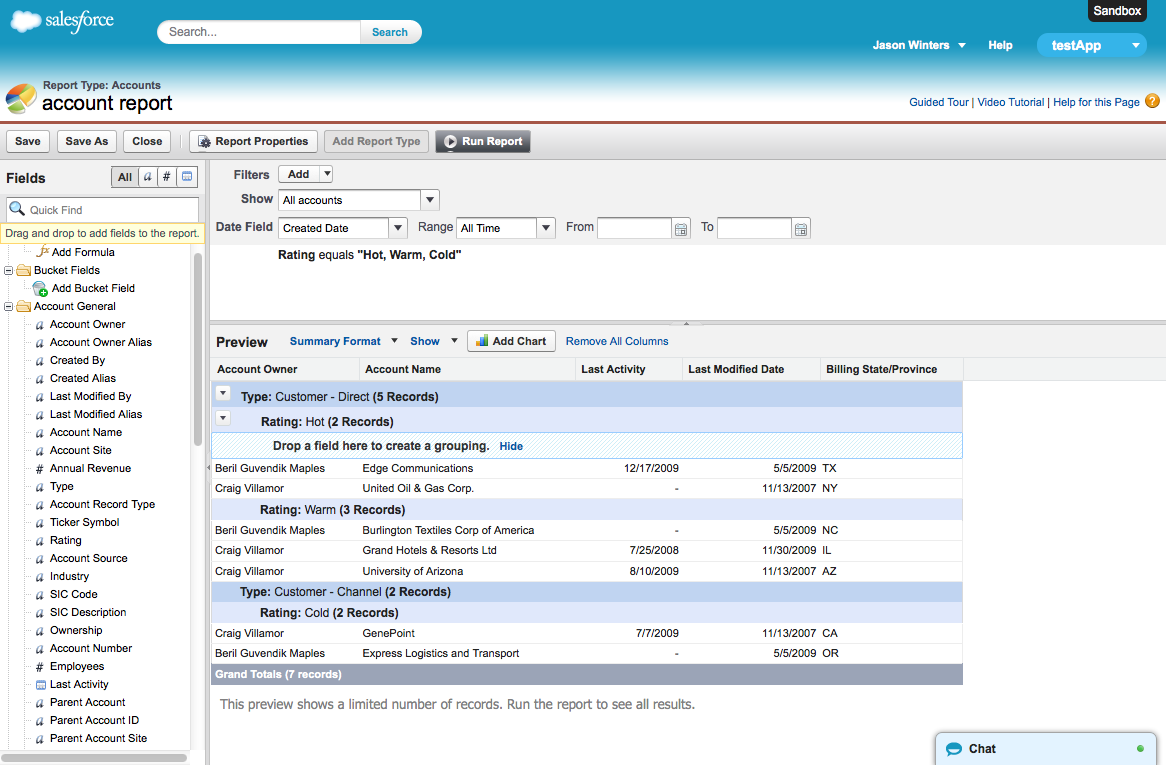
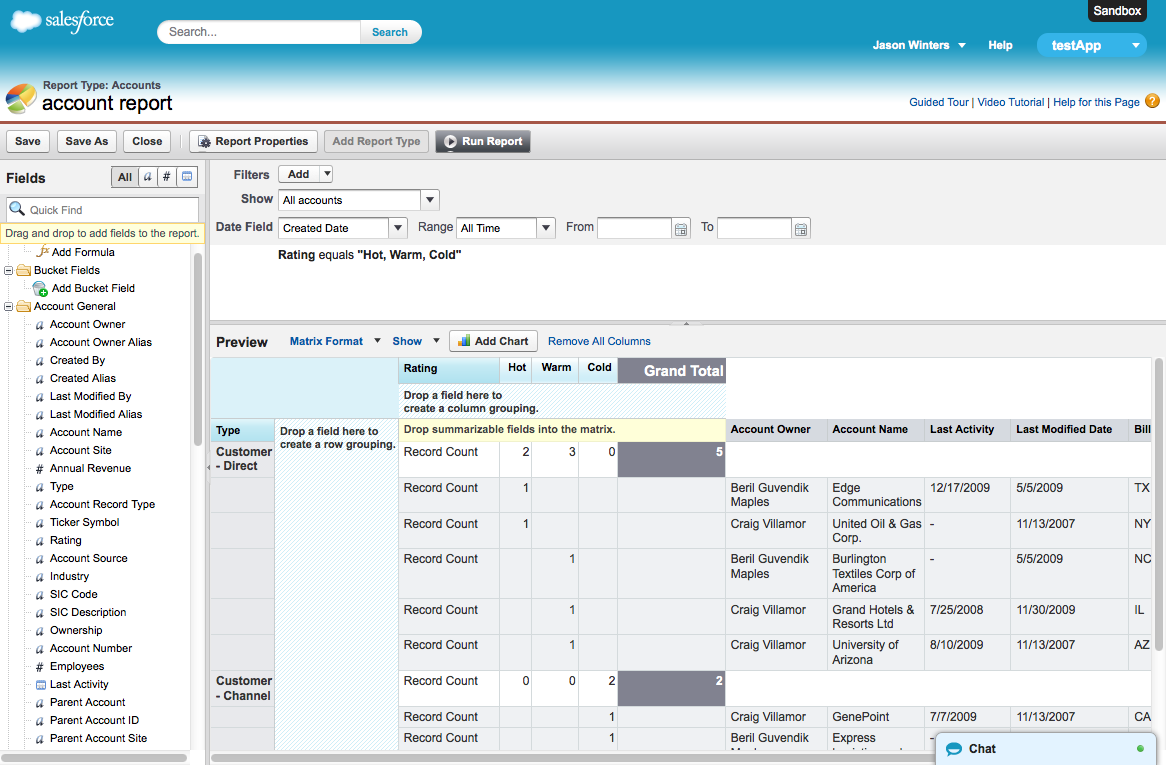
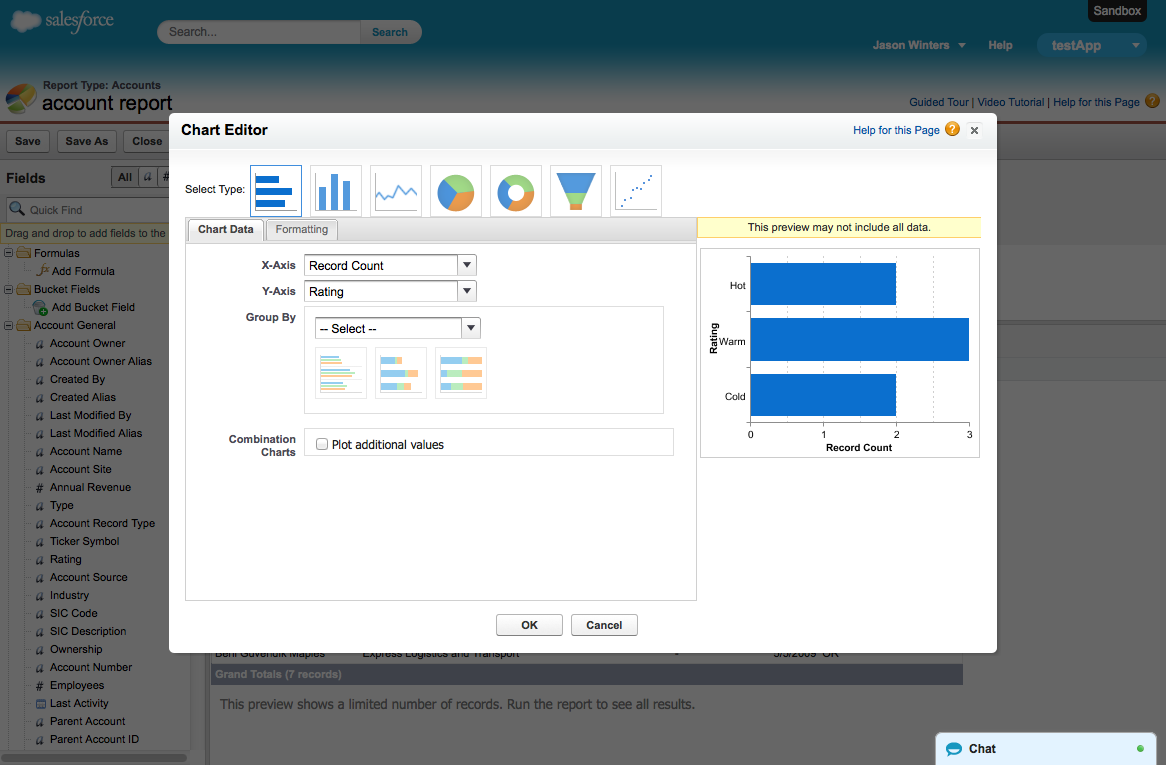
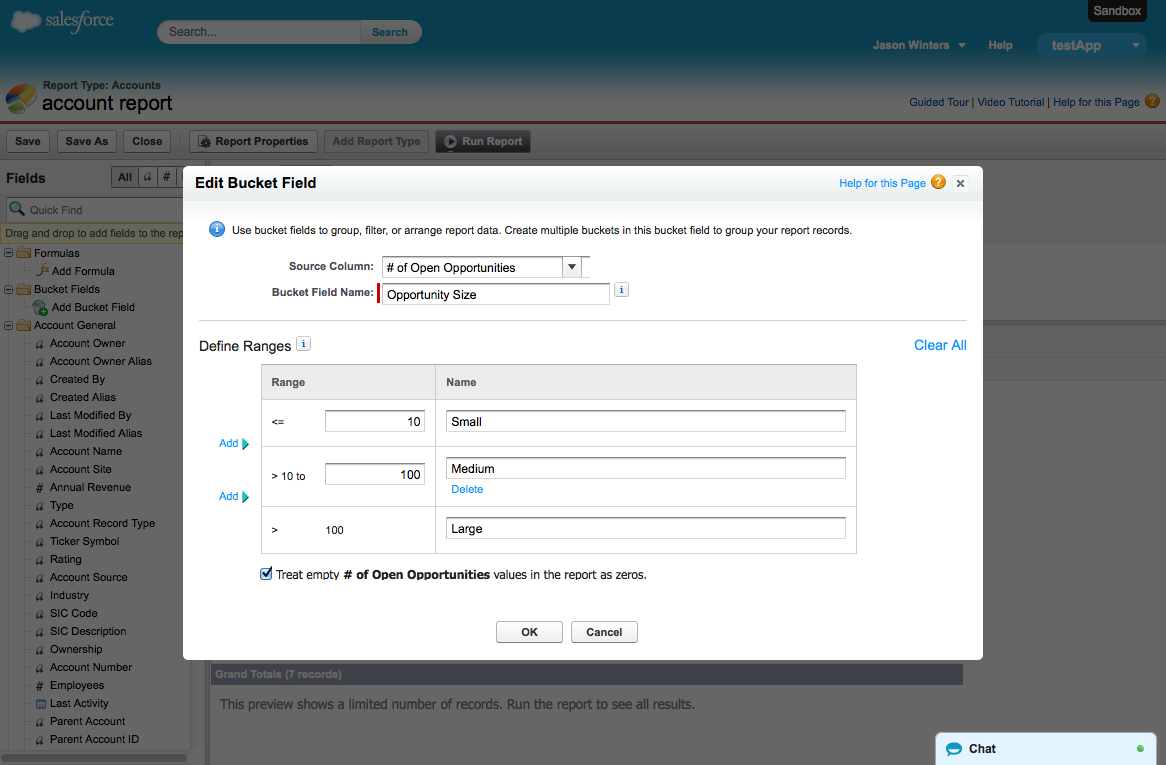
Previously in salesforce the only way you could create reports was through a clunky 7-step wizard. Oftentimes you would get incorrect or no data, and it'd be a pain to troubleshoot. I redesigned the wizard into a modern web app that lets users drag and drop fields into a live preview. Users can add filters, groupings, summaries and change the format all without leaving the page. The report builder established a paradigm that future products at salesforce would adopt.
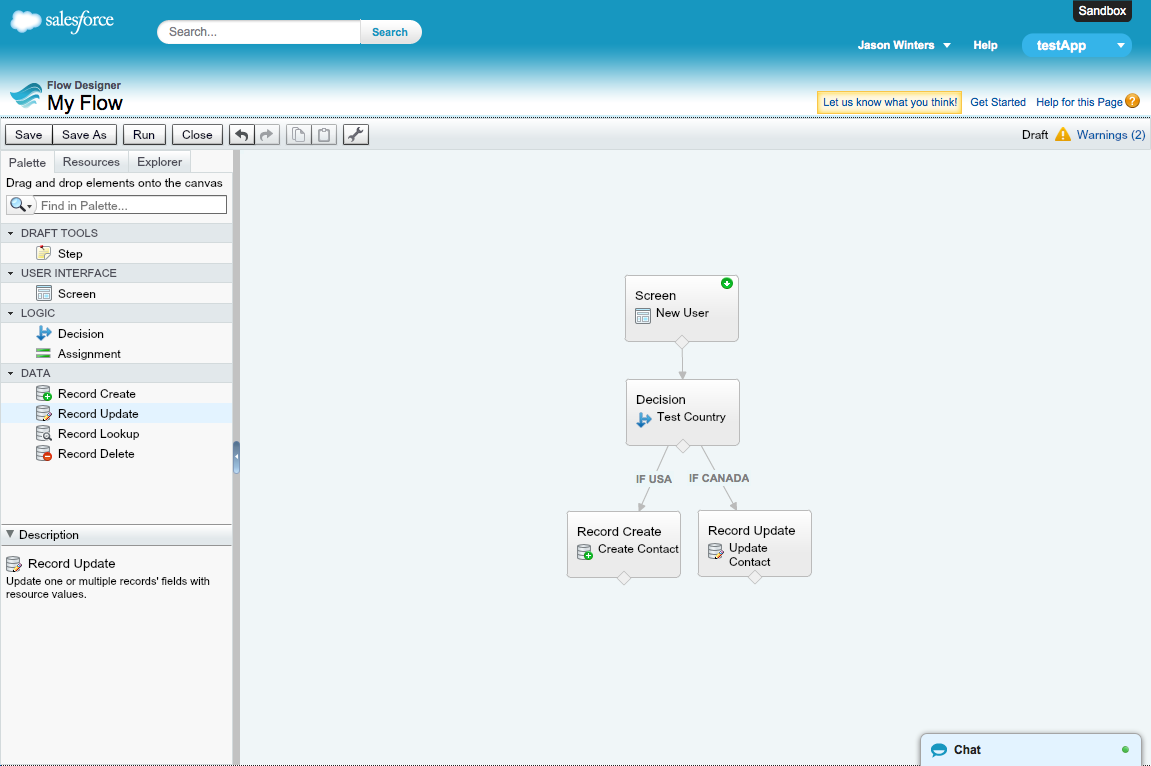
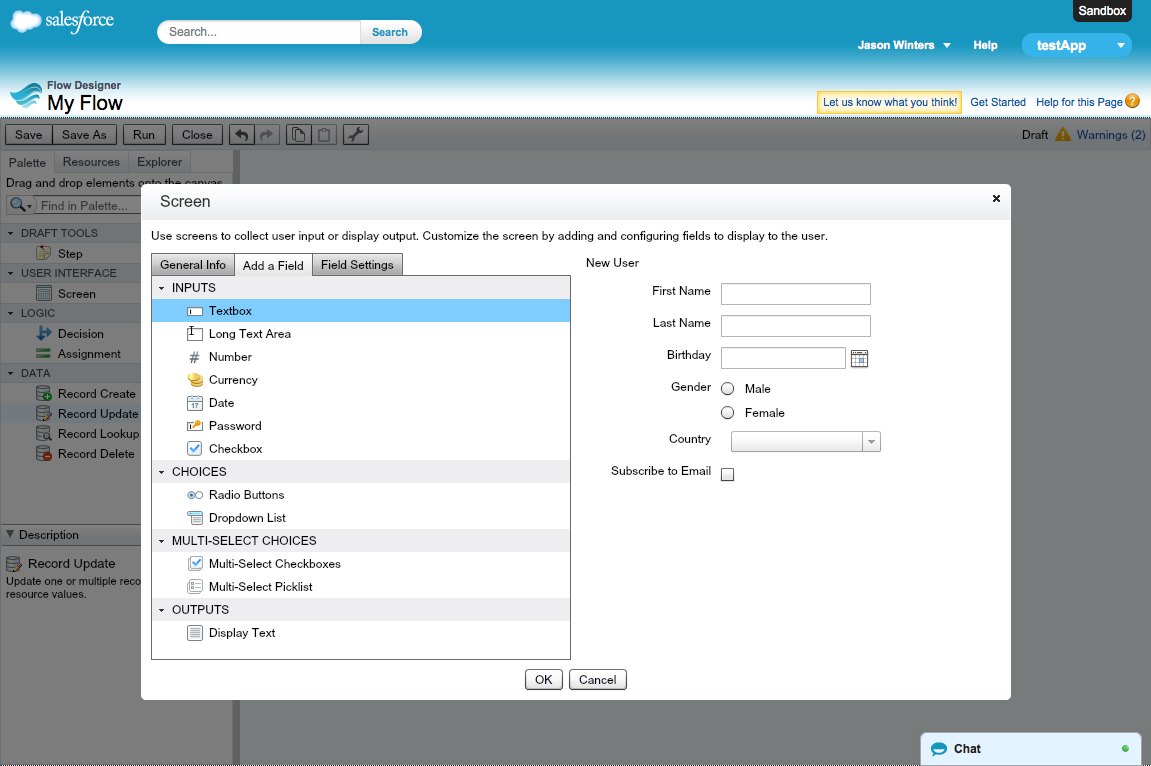
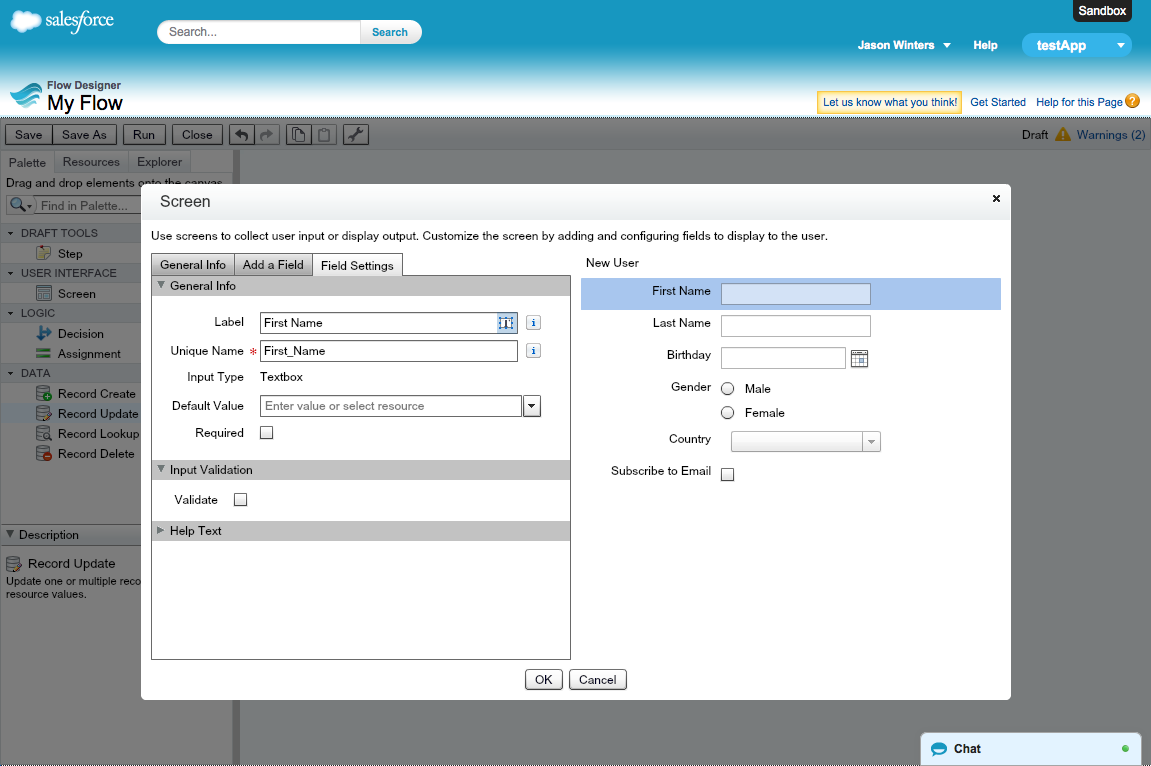
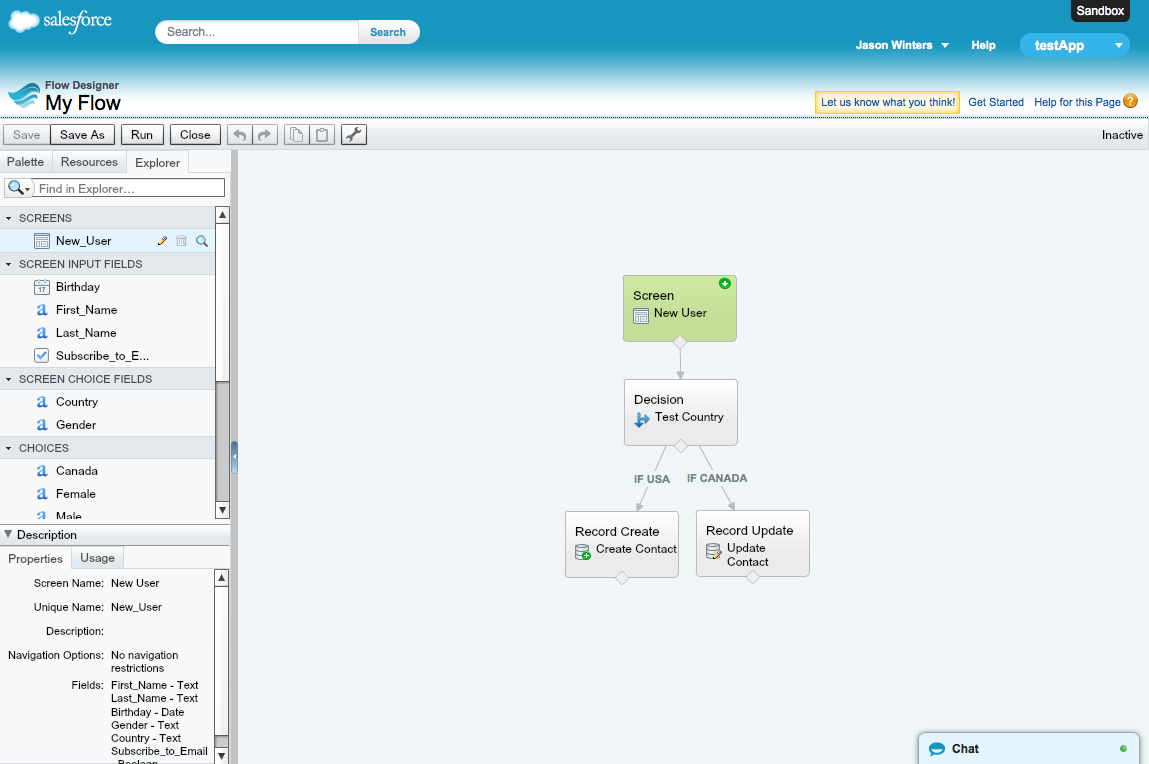
In addition to the Analytics team, I also supported the Platform team and designed a drag-and-drop process builder allowing admins to create workflows by connecting elements such as screens, decision points, and database actions. This product appeared on TechCrunch, and Gartner listed it as a reason why salesforce is a leading visionary in the CRM industry.

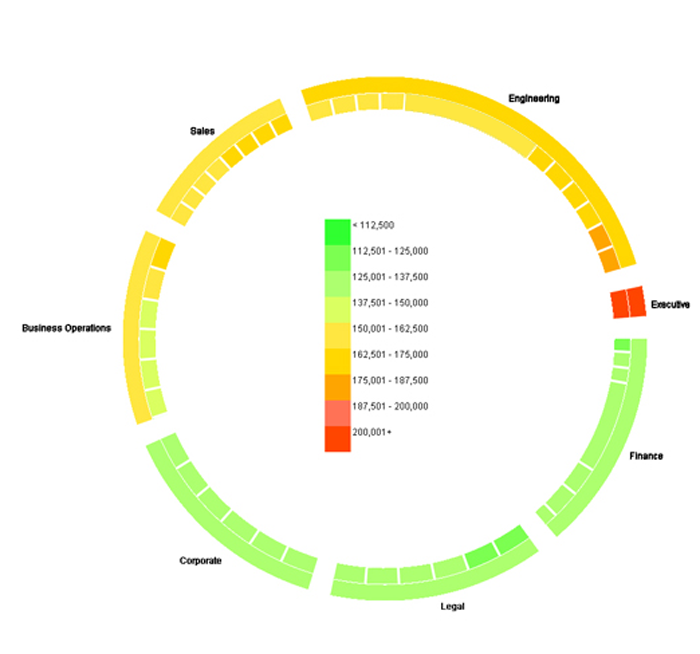
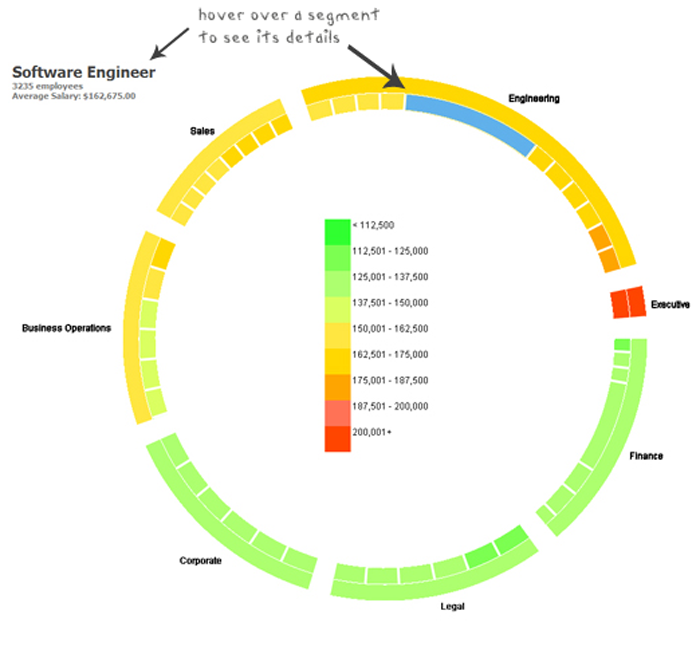
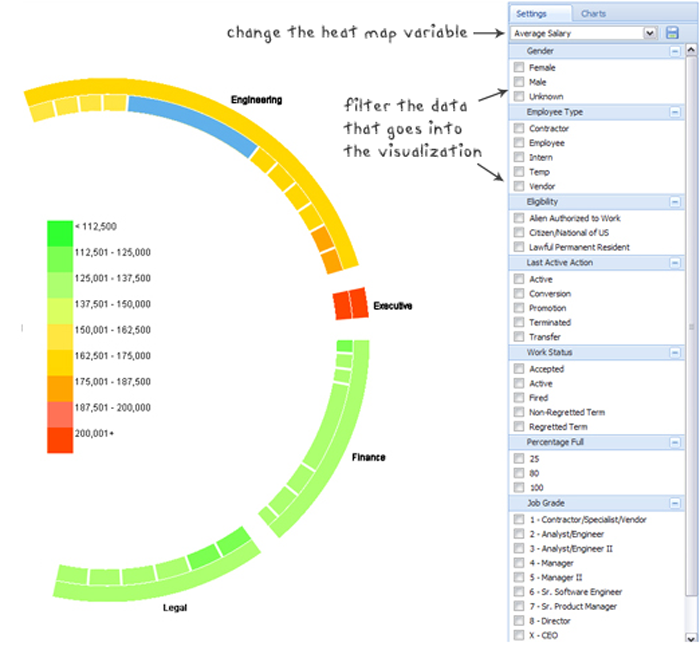
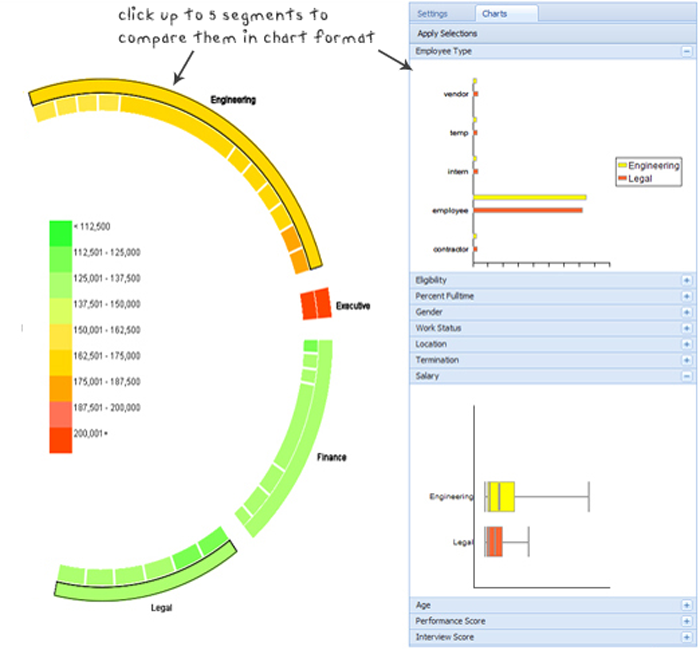
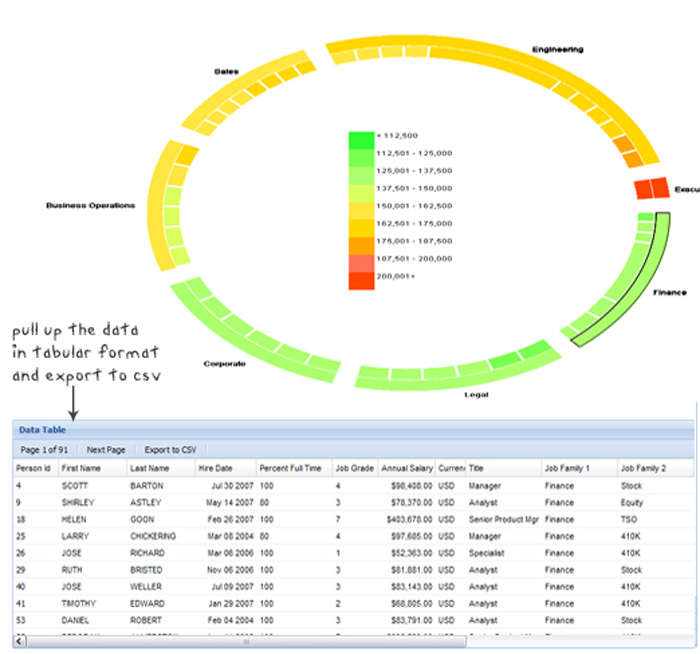
For my Masters project I worked with Google to visualize their employee data in a meaningful way. I was asked to explore new ways to present, navigate, and organize a large multivariate dataset with the goal of discovering valuable and actionable business insight. To do this I researched various data viz techniques and implemented a fully functional prototype with a team of 5 engineers.

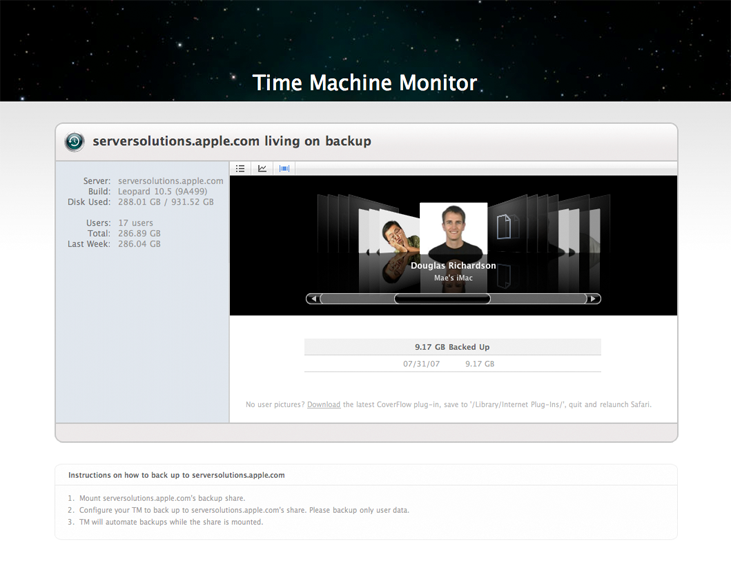
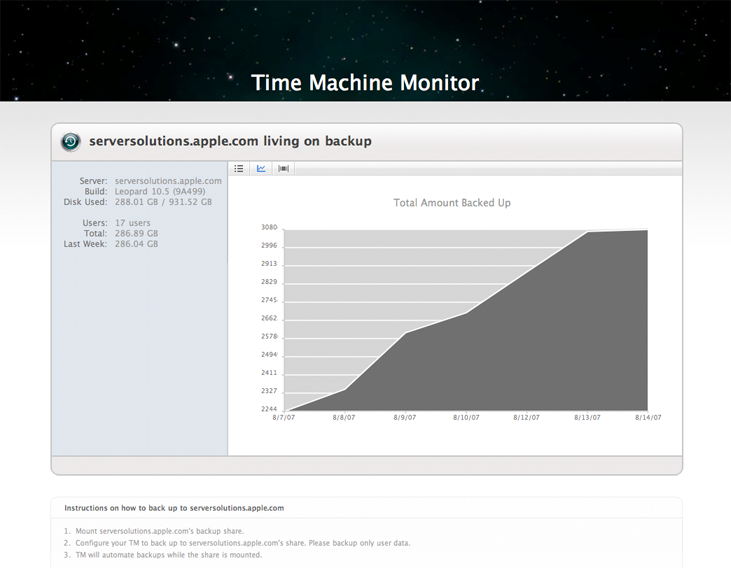
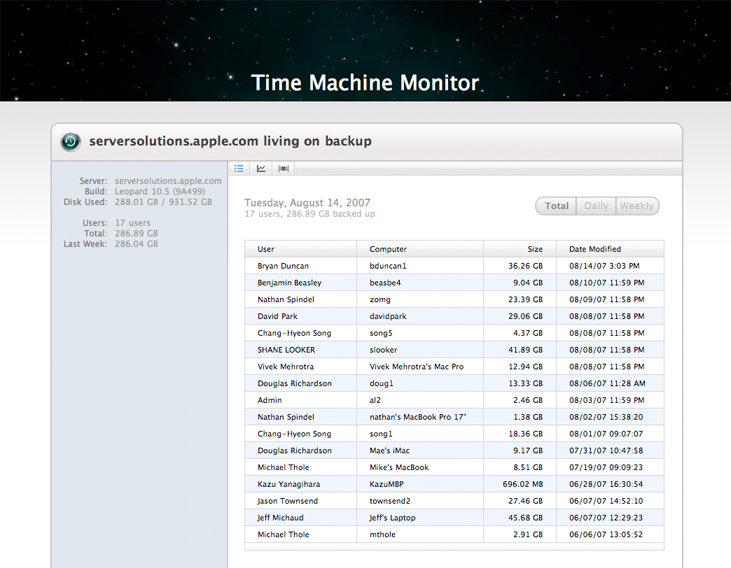
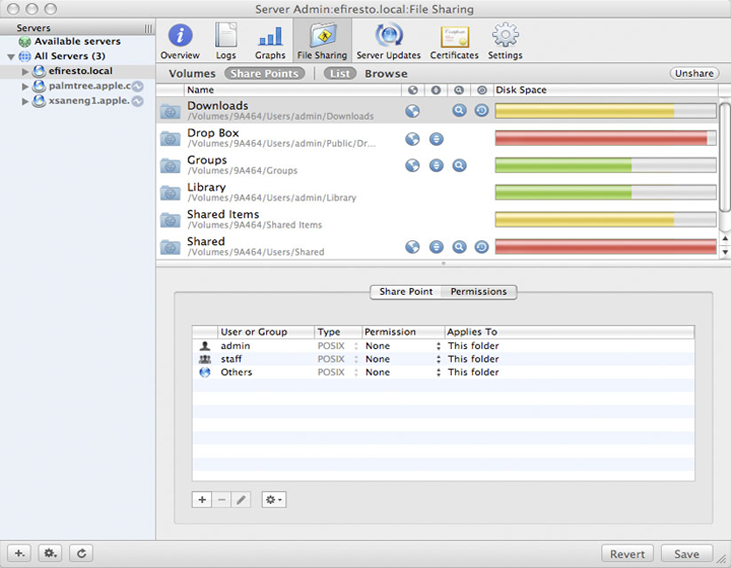
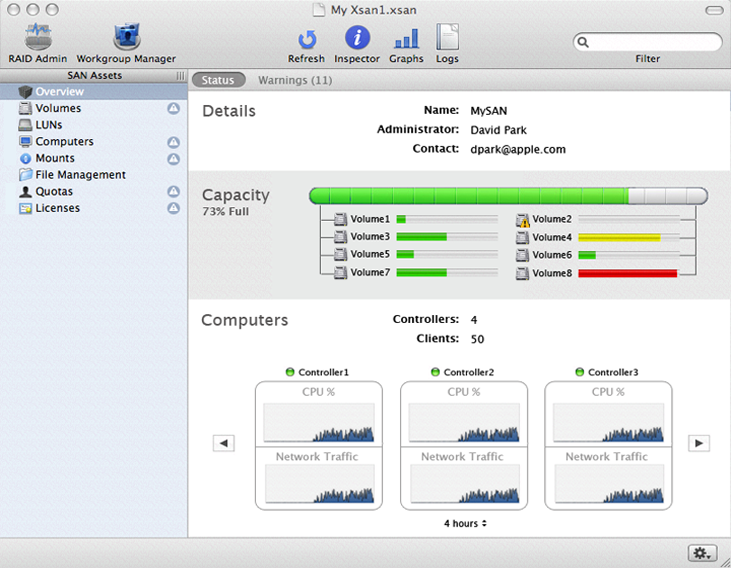
During my summer internship I worked on the Leopard release of Apple's server products. For Xsan 2.0 I designed the Overview pane and streamlined navigation, and for Server Admin I designed an icon family. Both of these screens were marketed on Apple's website.
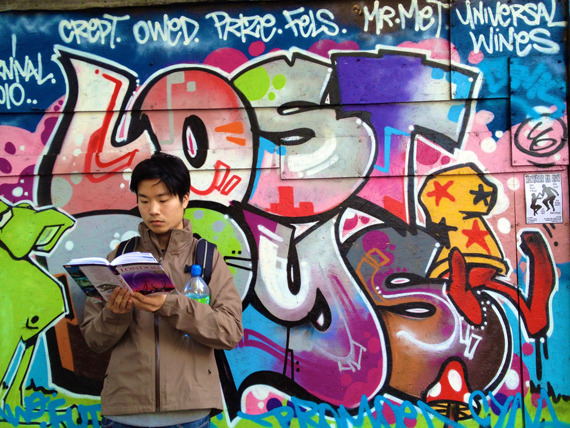
I've always been interested in design, ever since high school where I spent my spare time arranging yearbook layouts or hacking my blog's CSS. With a general interest in technology and a desire to fix unusable things, I found myself entering the Information Systems and Human-Computer Interaction programs at Carnegie Mellon. The IS program taught me how to code, giving me the power to build my own designs. The HCI program led to my love of user-centered design, and what would eventually become my career path in life.